Your screens,
floating in the real world
MiruXR turns your iPhone + XREAL glasses into a personal cinema and a spatial workspace — a giant screen, your own media, 360° video and glanceable widgets, wherever you are. Your phone is just the controller. Free, no ads.
Three ways to use your space
A private cinema, windows anchored in the room around you, or a glanceable HUD as you go.
Theater
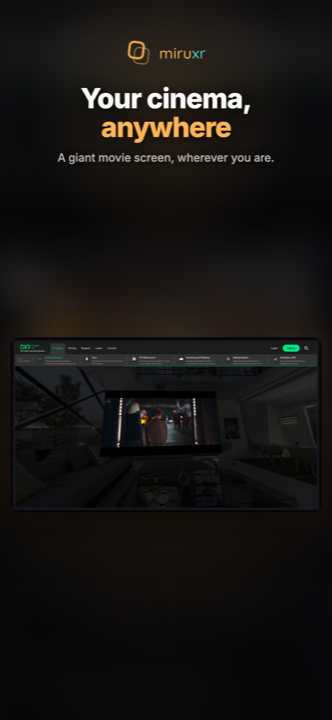
A giant private screen for movies, video and your media library. Sit back and watch — up to a wall-sized screen only you can see.
Spatial
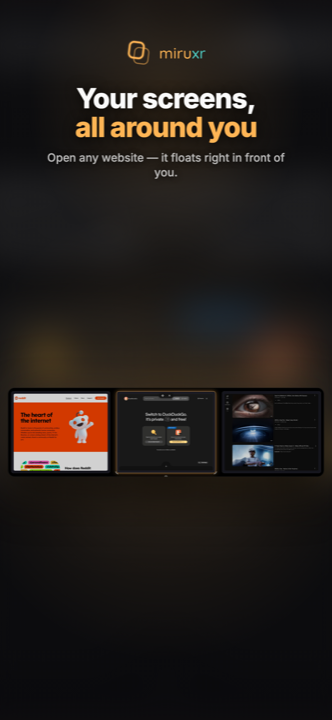
Anchor windows around you in real space — a browser here, a video there. Turn your head to move between them, like a room made of screens.
Canvas
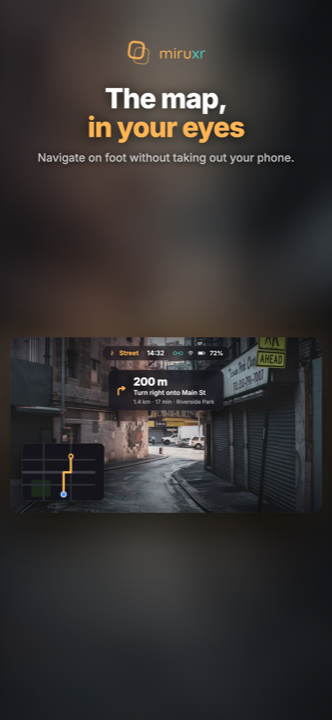
Your apps, widgets and info floating all around you. Walk, train or work — the world stays in full view, the info lives at the edges.
Direct head-tracking on your iPhone — no adapters, no extra hardware. Just plug in your XREAL and go.
What it looks like
Real screens from MiruXR — a giant cinema, your spatial windows, and the glanceable HUD.
Built for spatial
YouTube VR & WebXR
Head-tracked 360° and VR video, right in the browser — no adapter required.
3D / SBS player
Auto-detects the format and renders real stereoscopic depth — MVC, SBS and more.
Spatial photos
Relive the spatial videos and photos from your iPhone in true 3D.
Built-in browser
Your sites, floating in space, with your logins carried across.
Your media servers
Play movies and shows from your Plex, Jellyfin, SMB and DLNA servers — with posters and adaptive quality.
Your screen, your way
Dial in size, distance and curvature — from a cosy panel to a wall-sized wrap.
Up and running in seconds
Connect
Plug your XREAL One into your iPhone with the cable in the box.
Open miruxr
Your space appears instantly, anchored in the room around you.
Point & tap
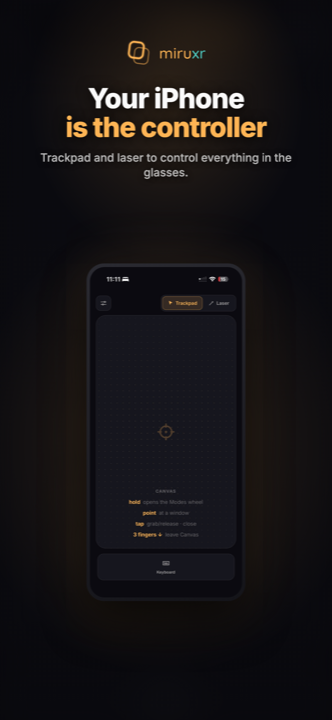
Navigate with the trackpad, the laser pointer, or just your gaze — all from your phone.
The spatial layer —
everywhere your glasses go
iPhone + XREAL One Series
Direct head-tracking, no adapter — optimized for the XREAL One Pro. The full Theater, Spatial and Canvas experience, available now.
Android, then desktop
Android next — wider glasses support across more brands, thanks to open USB access. Then macOS, Windows & Linux.
Get MiruXR
Free, no ads, no subscriptions. Made for the XREAL community.
Questions or ideas? hello@miruxr.com
Free forever — if it makes your day better, buy me a coffee ☕